



MyChart Central
Do you have providers at more than one healthcare system? MyChart Central lets you view health information from multiple organizations in one place.
What Is MyChart Central?
MyChart Central lets you link MyChart accounts from different healthcare organizations. This helps you see your health information together in one place. This can be helpful if you receive care from more than one provider who uses MyChart. You can also access MyChart Central through the MyChart mobile app.
This is different from your Cleveland Clinic MyChart account, which only shows information from Cleveland Clinic providers and services.
How To Use MyChart Central
When you log in to MyChart Central, you may notice a slight change to the Cleveland Clinic login page. This includes a reference to an Epic ID, along with your usual MyChart username. Epic is the company that developed MyChart. For now, log in to MyChart as you usually do.
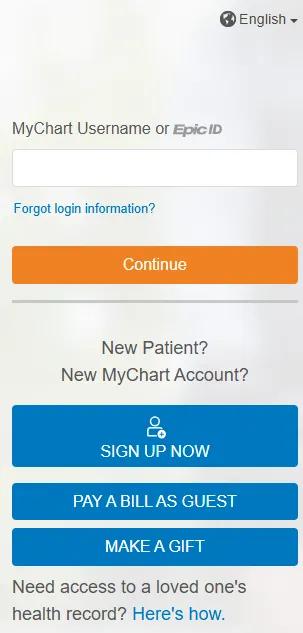
Image content: This image is available to view online.
View image online (https://assets.clevelandclinic.org/transform/214f2046-f8a4-4f12-b288-96285f6c7f15/mychart-central-epic-login-page)
Once logged in, you’ll need to enroll in MyChart Central through the Linked Accounts section of your Cleveland Clinic MyChart page.
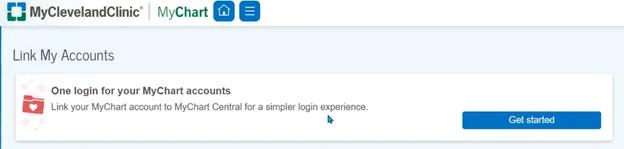
Image content: This image is available to view online.
View image online (https://assets.clevelandclinic.org/transform/475d484a-cdba-47d0-b348-1ad56add82f8/mychart-central-link-accounts)
You can also enroll on the MyChart Central home page:
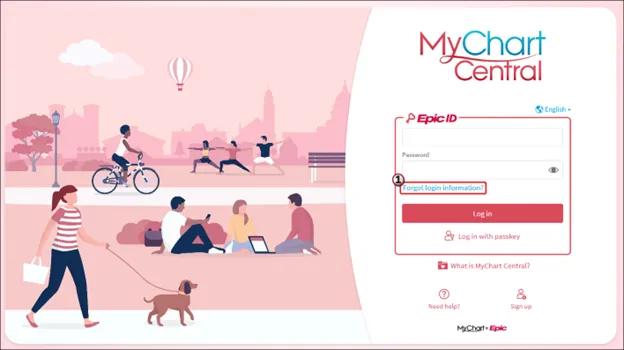
Image content: This image is available to view online.
View image online (https://assets.clevelandclinic.org/transform/de0d8b05-17c9-4f70-8a22-d0def2f2ff99/mychart-central-homepage)
You’ll use an email address to create a username called an Epic ID. During sign-up, you’ll verify your phone number and email address using one-time codes. After verification, you’ll create a password and go to your MyChart Central landing page.
MyChart Central Support
If you’re enrolled in MyChart Central and try to log into your organization’s MyChart home page using your Epic ID/MyChart Central credentials, you’ll automatically be directed to the MyChart Central home page.
MyChart Central is owned by Epic. Cleveland Clinic does not support this application. If you can’t log into MyChart Central or have other problems, fill out the MyChart Central Help form.